
- Home
- WMSPos
Your business, even offline.
Point of sale, inventory, purchasing, dispatch, receivables and payables, accounting and reports in one platform. The cloud manages; every branch runs locally.

- 20+modules in one platform
- 11preconfigured industries
- 67+ready-made reports, plus your own builder
- ES / ENper company, per user and per terminal
Managed in the cloud. Run in the store.
You manage from wherever you are, and the registers work with what's in the store. Here's how it runs when all is well, and when the internet goes out.
WMSPos cloud
The back office where you manage catalog, prices, customers and reports from the browser. Every business has its own database.
- Web back office
- Every branch
Branch server
A Windows computer at the branch. It serves the registers over the local network and syncs with the cloud on its own.
- Local network
- For several registers
Registers and devices
Desktop POS, Showroom, kitchen display, kiosk and customer display, with your printers, scanners and drawers.
- POS
- Showroom
- Kitchen
Online
Everything syncs on its own. What you sell at any register shows up in the back office, alongside every other branch.
Offline, with a branch server
The whole store keeps working on the local network: sales, shifts, tables and kitchen. The branch server keeps everything and uploads it when the connection returns. With several branches, anything that touches another one, like returns or gift cards, waits.
Offline, without a branch server
Each desktop register keeps billing with its saved catalog. Sales queue up with their own numbers and upload on their own when it's back. Tables, kitchen and other shared operations wait for the connection.
Straight talk: if the branch server goes down, its registers wait for it to come back. That's on purpose, so there are no duplicate sales or mismatched inventory. Offline mode belongs to the desktop POS; the web POS needs a connection.
Here's what it looks like inside.
Real screens from the system, with demo data. Tap each part to see it.
- Cash, card, ATH, check and split payments
- Keeps billing offline on the desktop POS
- Receipts in the layout you design
Real desktop POS screen, with demo data.
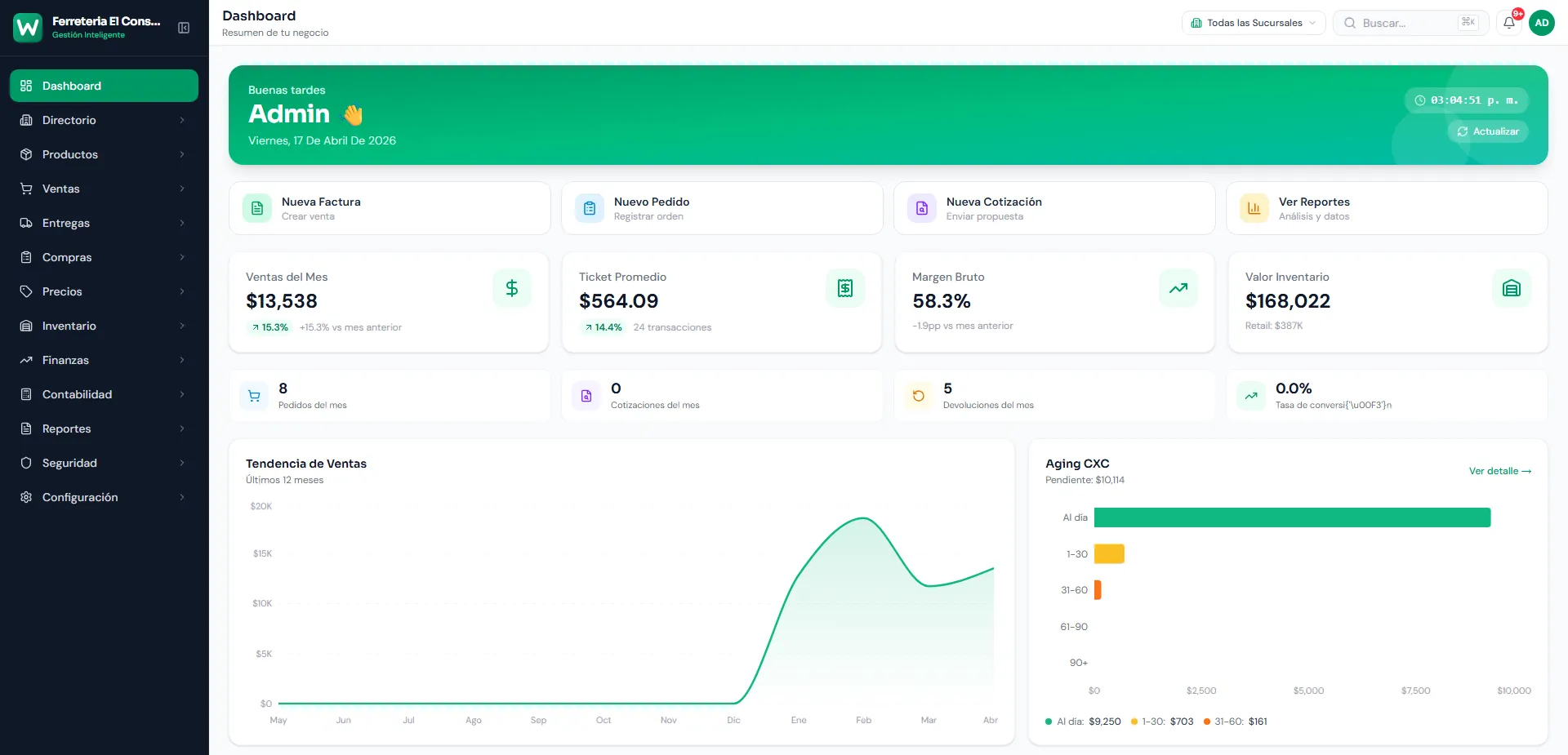
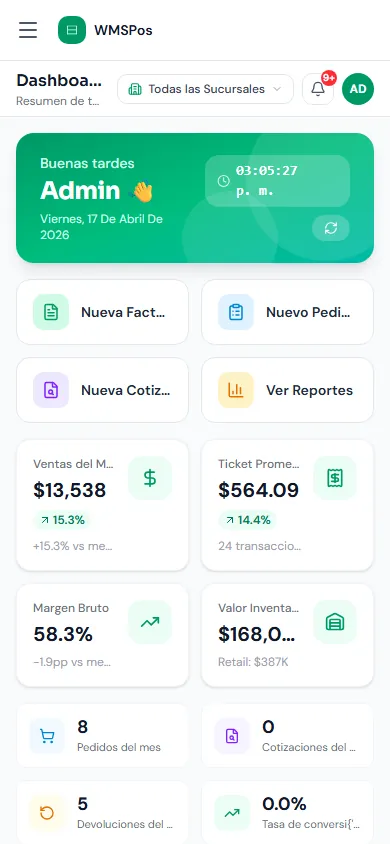
- Per-branch or consolidated dashboard
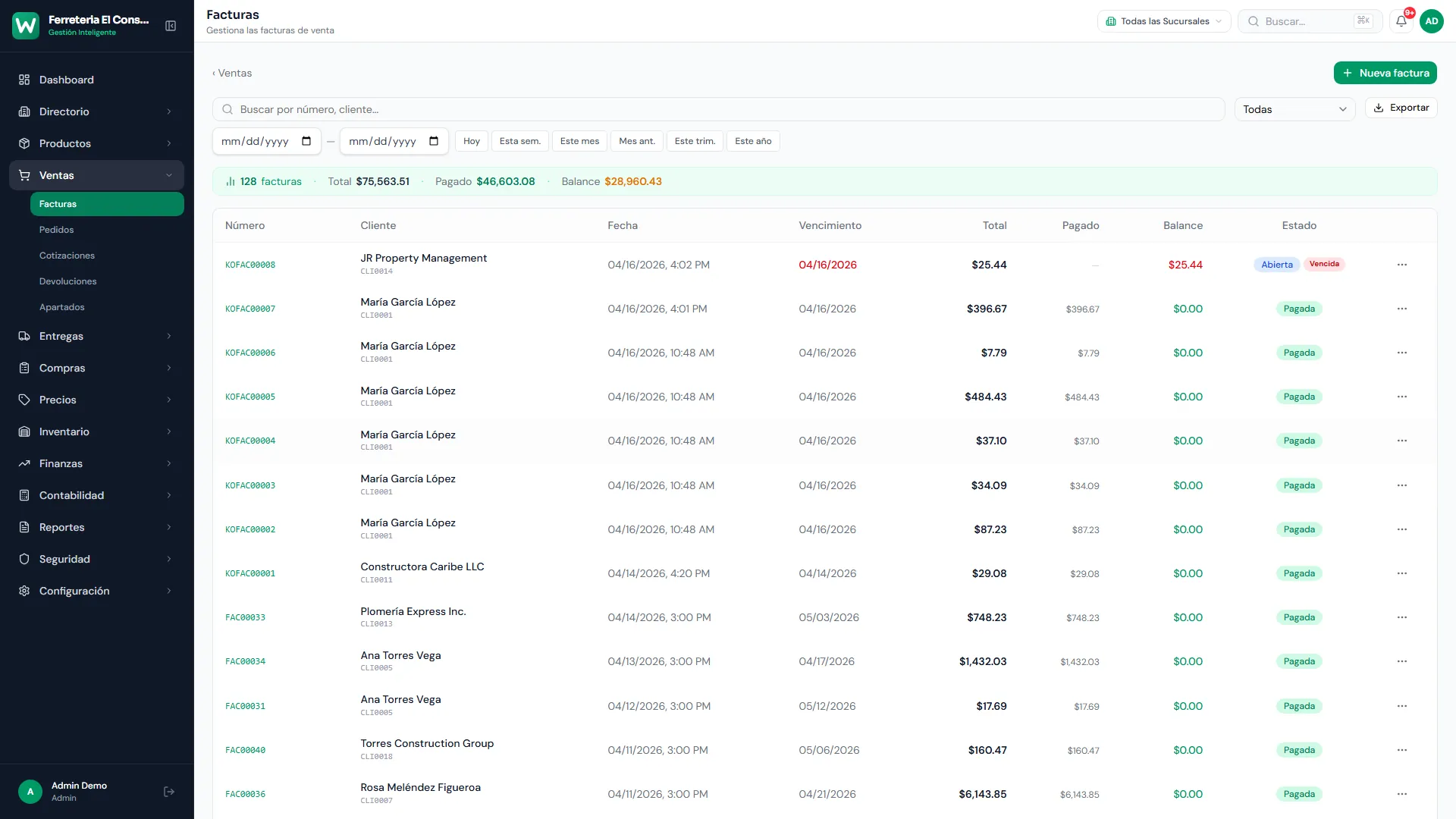
- Invoices, orders, quotes and returns
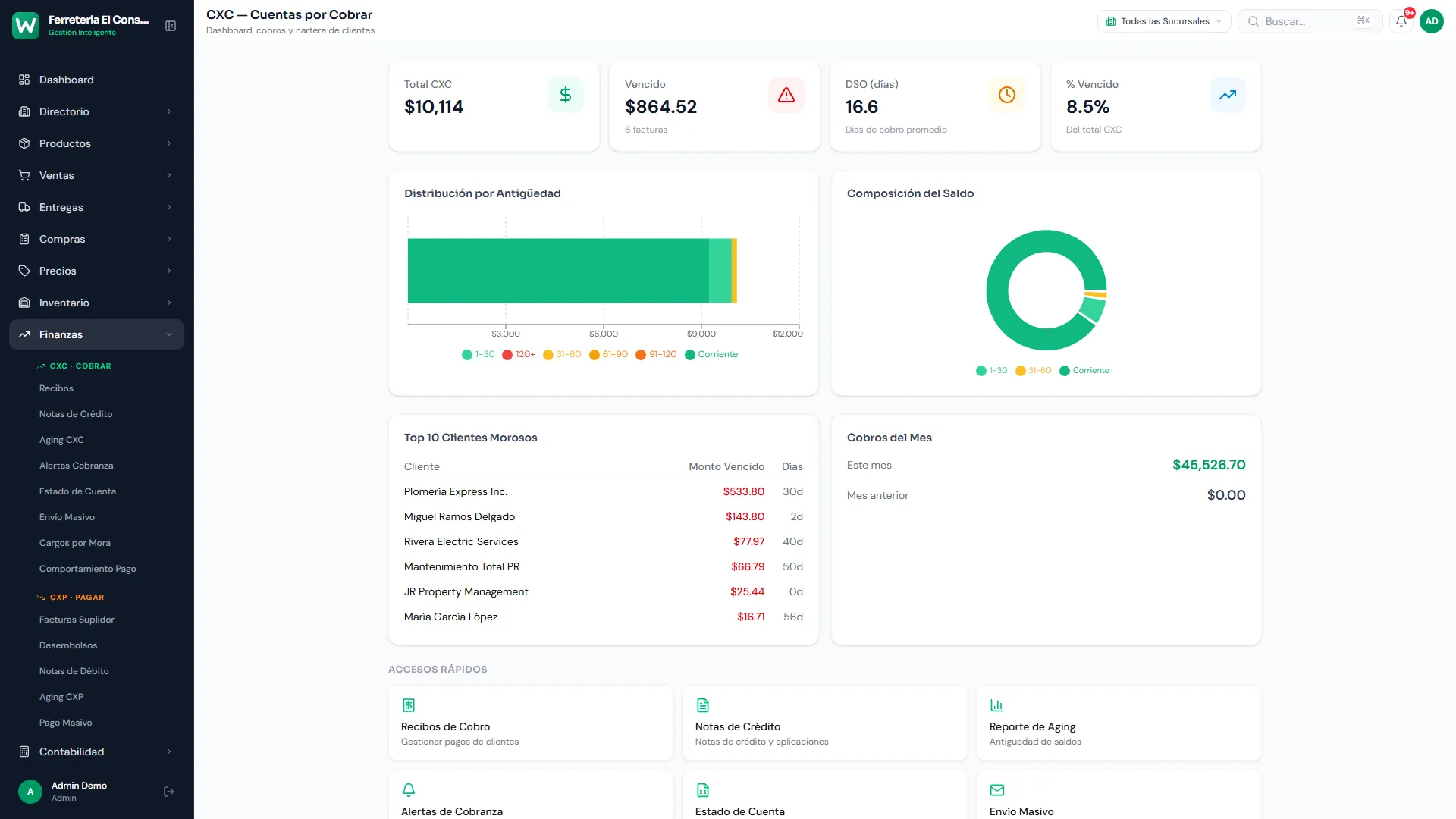
- Receivables with aging
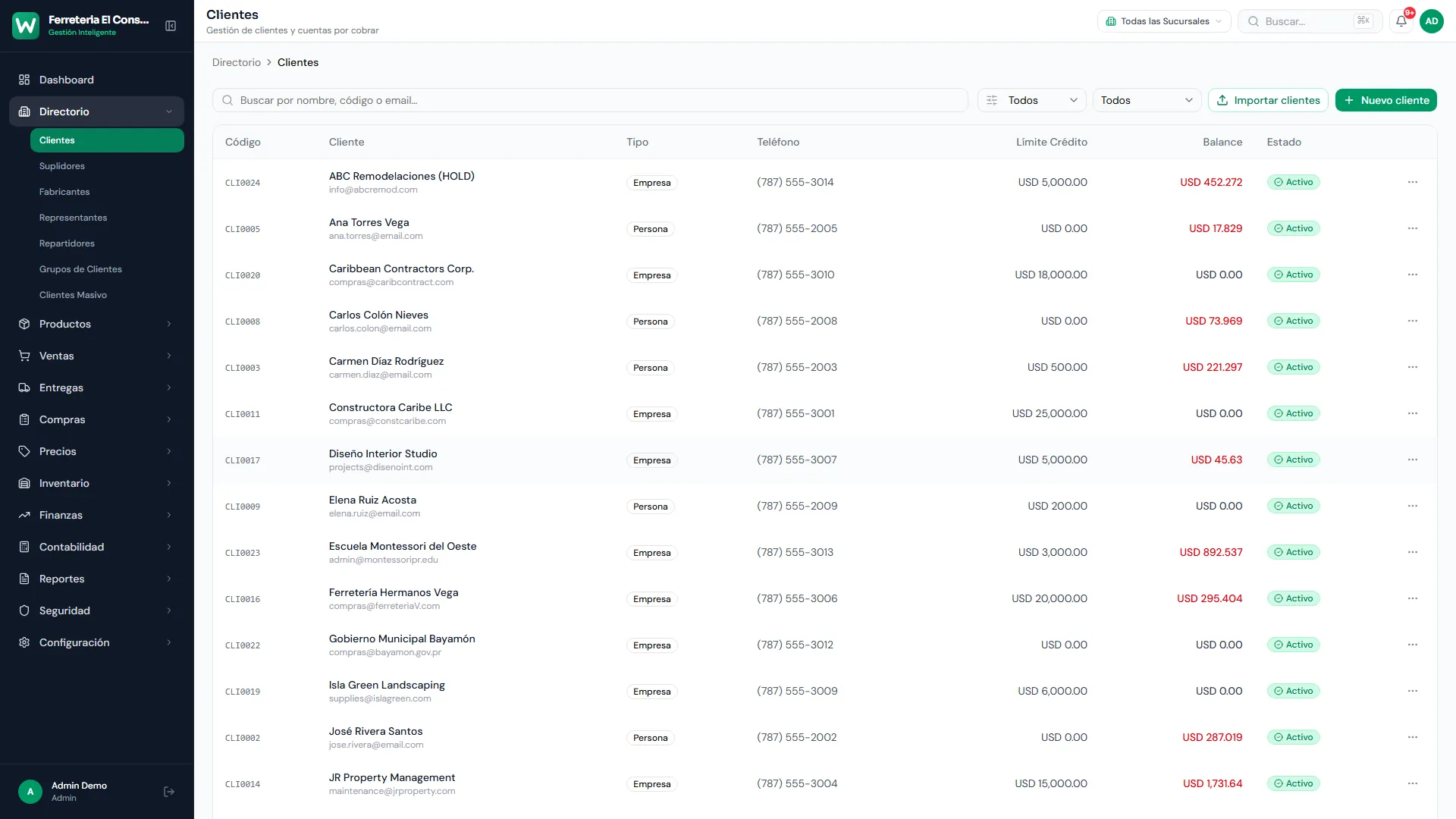
Back office dashboard in the browser, with demo data.
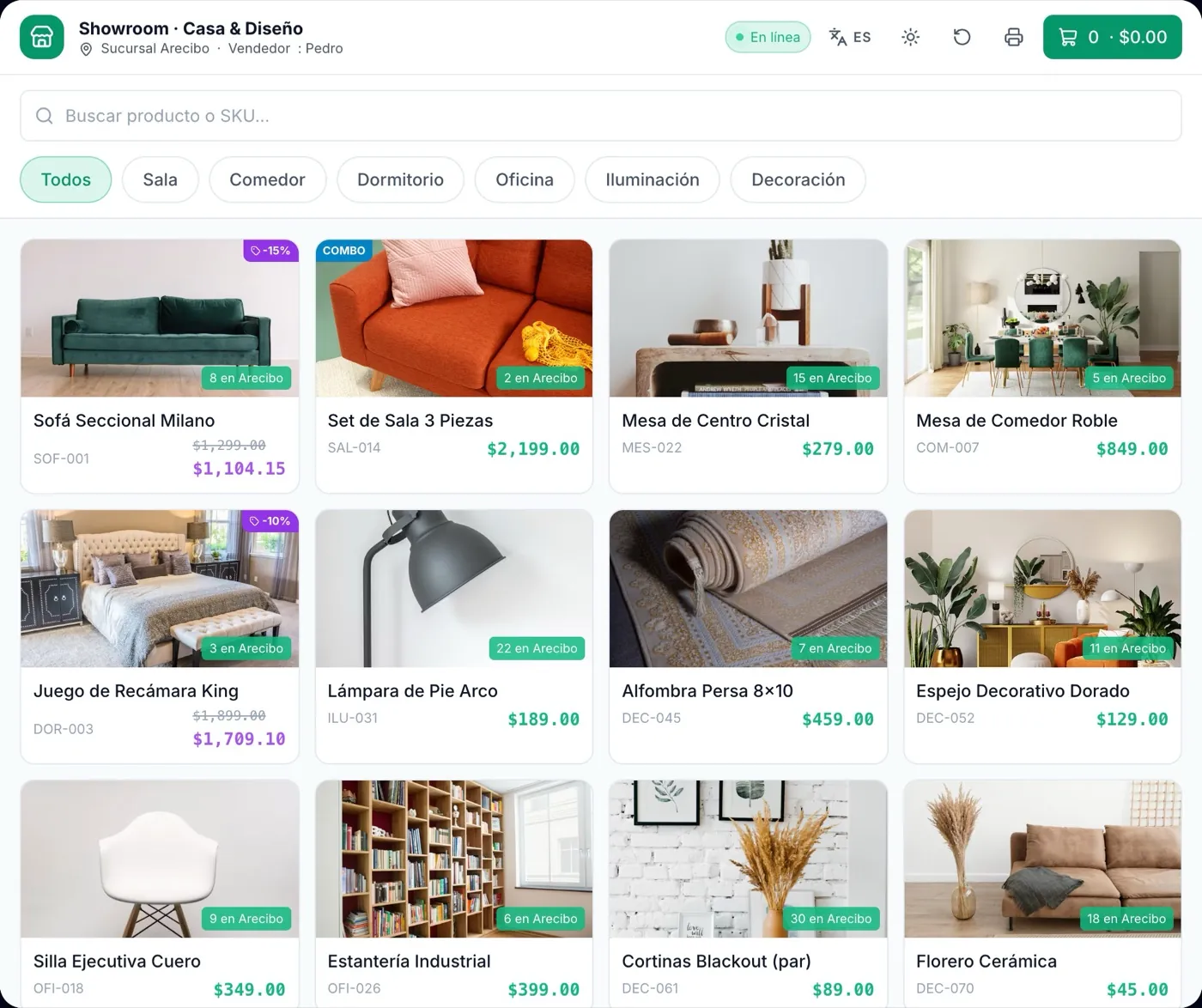
- Prices by customer
- Branch stock on every photo
- Reprint, return or email the receipt
Showroom mode on a tablet, with demo data.
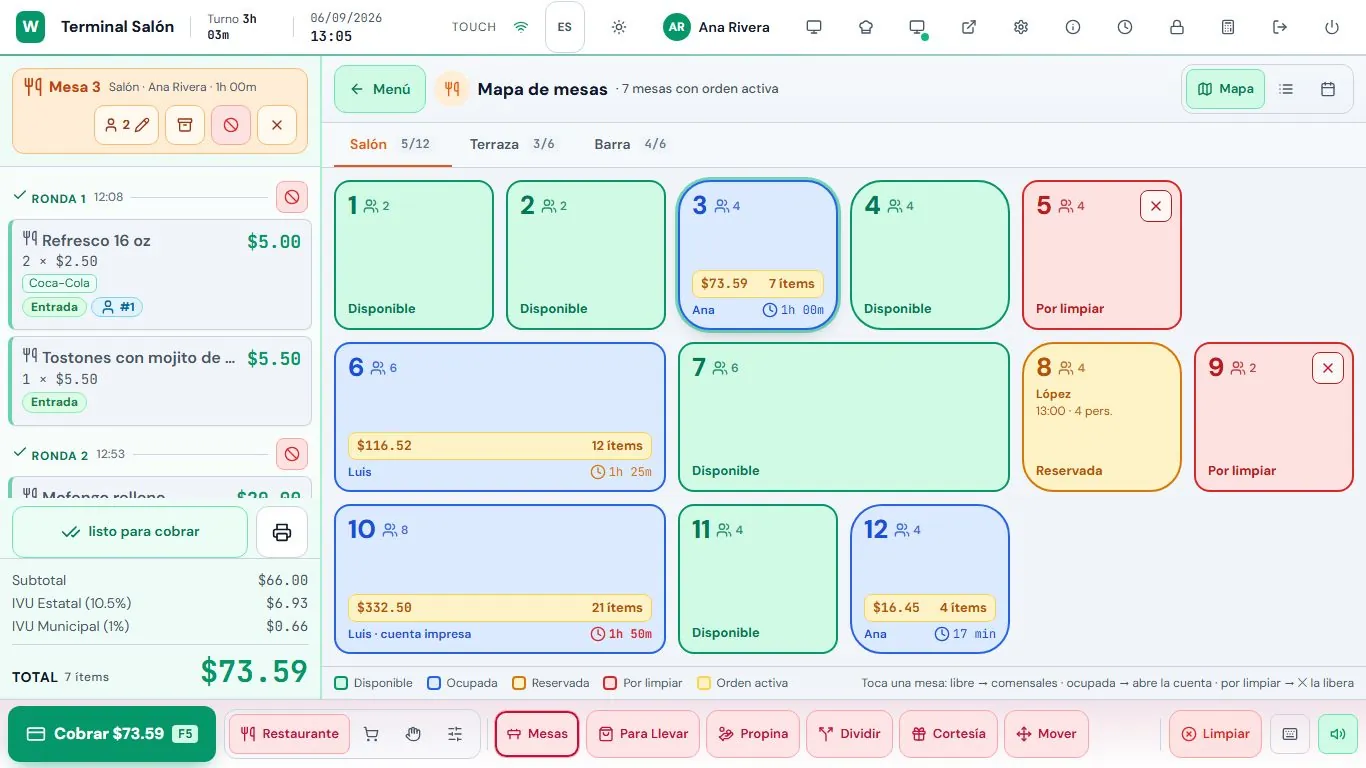
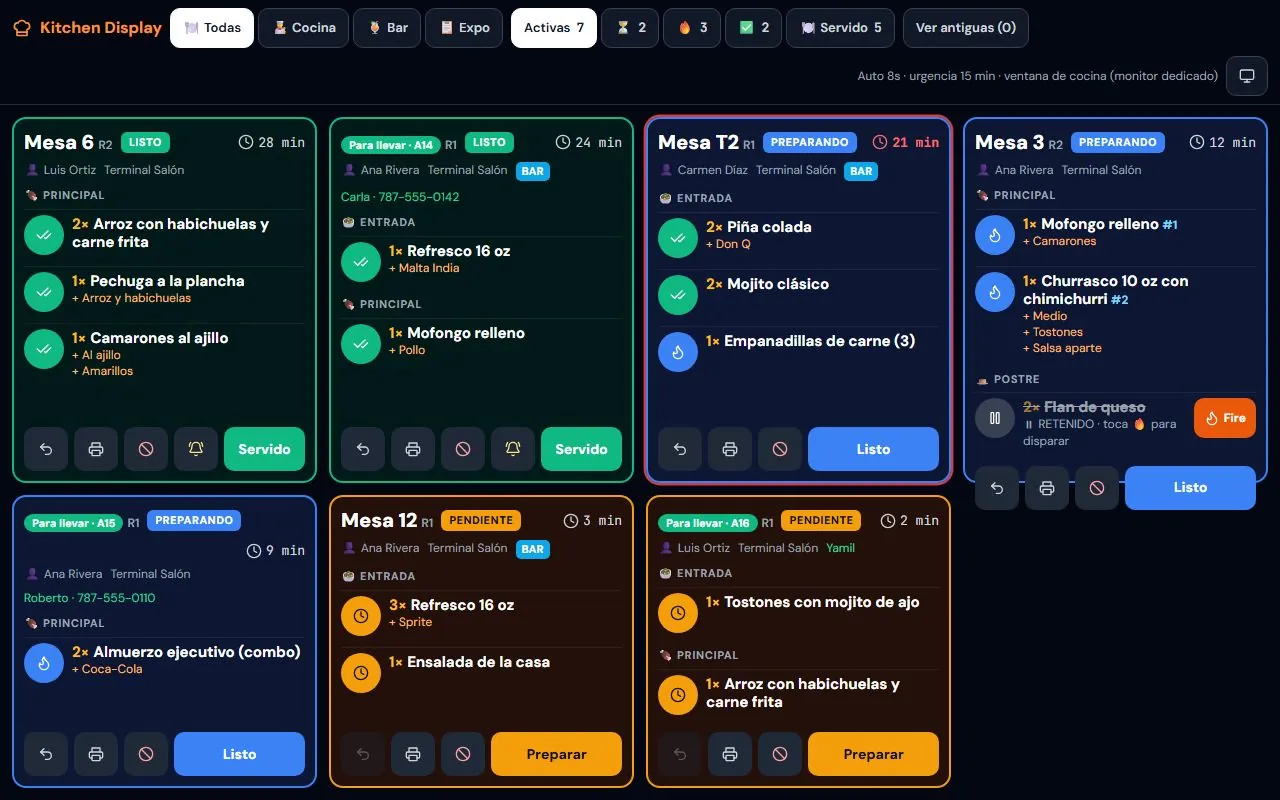
- Kitchen display with timers and statuses
- Dine-in and takeout
- With a branch server, tables and kitchen keep working offline
Table map and kitchen display, with demo data.
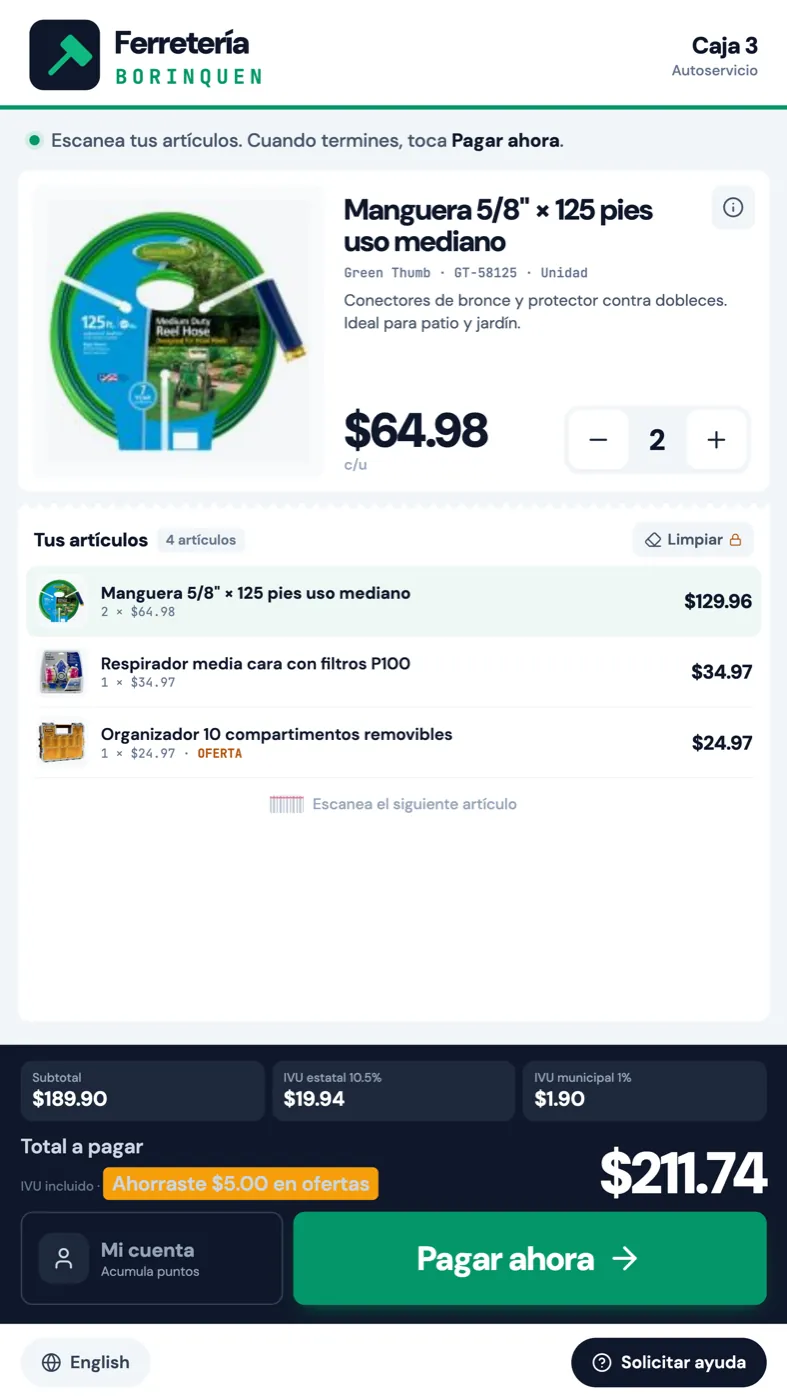
Self-service kiosk
Customers scan their items and see their deals and the total with sales tax broken down. Anything that needs help is handled by staff with a manager PIN.
- Vertical touch screen
- Deals and savings in plain view
- Loyalty points with the customer's phone number
- Spanish or English with one tap
Self-service kiosk, with demo data.
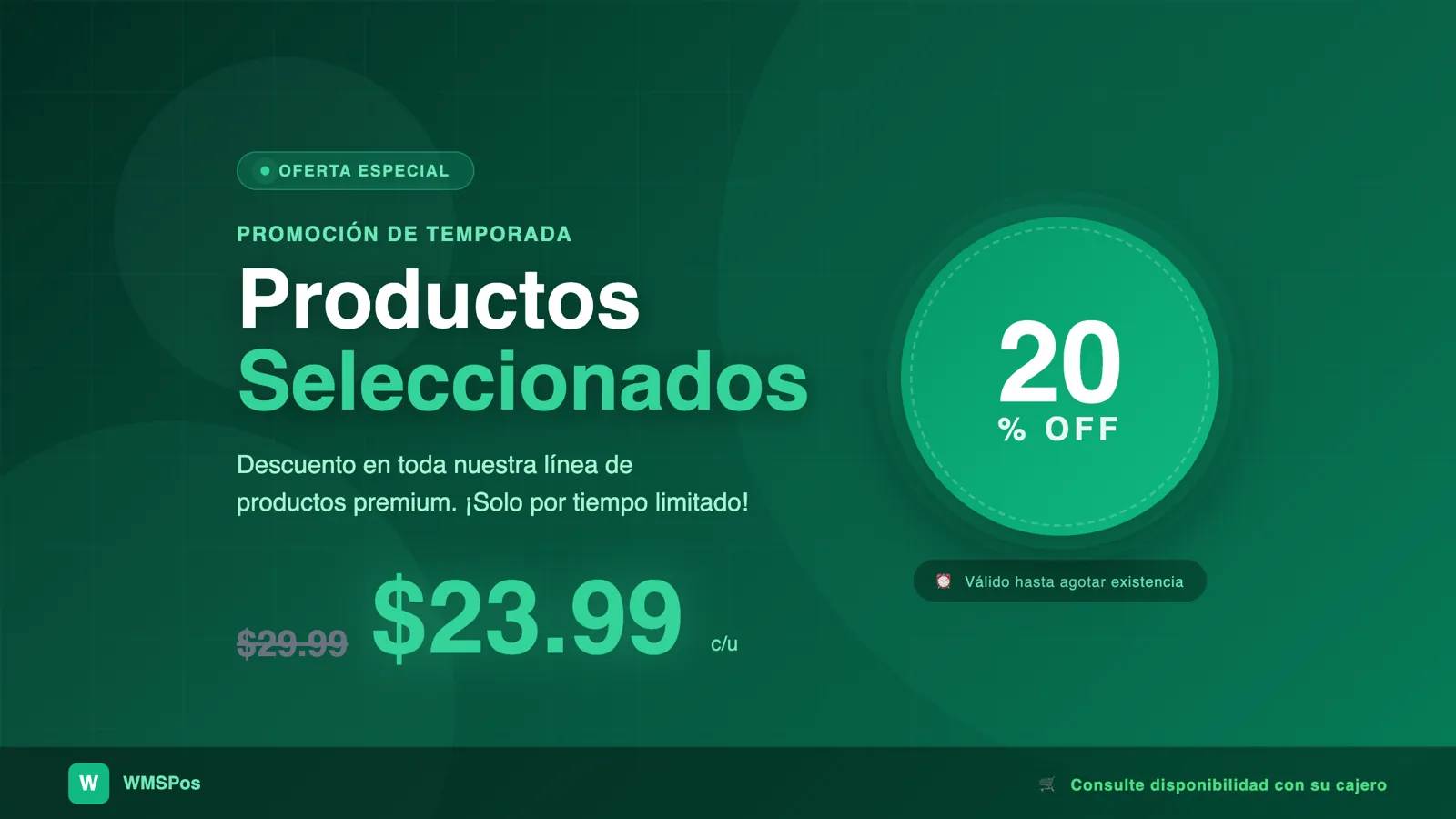
- Image and video slides
- Your active promotions, automatically
- Items and total while you charge
Customer display while idle, with a sample promotion.
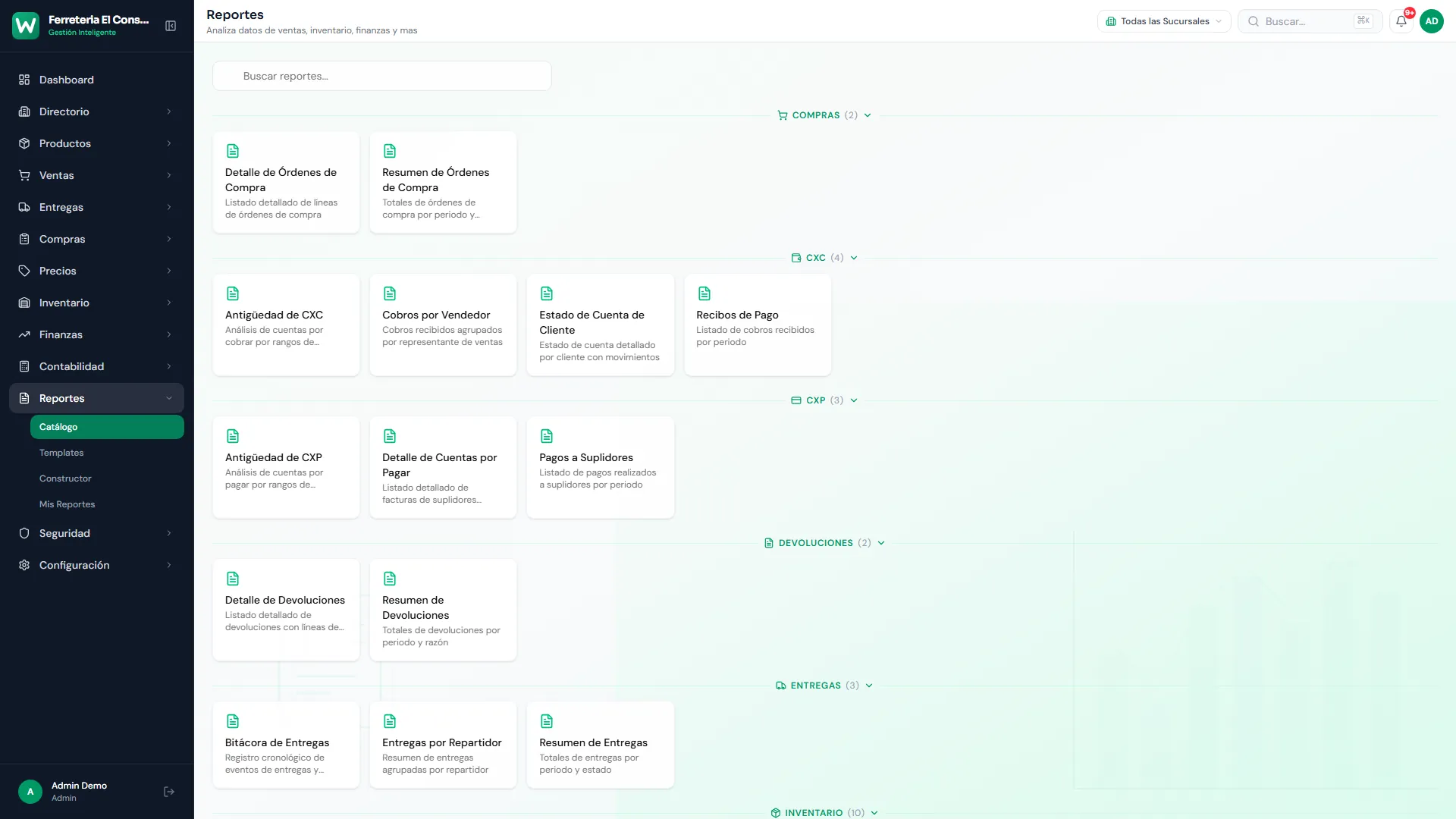
- PDF, Excel and CSV
- Filters by branch and date
- Scheduled email delivery
Back office report catalog, with demo data.
Turn on only what you use.
When your business is created, WMSPos turns on the modules for your industry. The rest switch on when you need them, without changing systems. And turning one off doesn't delete its data.
Sell
6 modules- Point of saleSales, orders, quotes and layaways; shifts and Z close.
- ShowroomSell on the floor with a photo catalog.
- RestaurantTables, rounds, kitchen, tips, split checks and combos.
- Self-service kioskCustomers scan and see their total with tax.
- Customer displayItems, total, images, videos and promotions.
- Loyalty and promotionsPoints, gift cards, combos and time-bound discounts.
Move inventory
5 modules- Products and catalogDepartments, brands, modifiers and labels.
- InventoryStock by warehouse, transfers, adjustments, lots and expiration.
- PurchasingPurchase orders and receiving; import orders from Excel.
- Dispatch and deliveryPicking, waves, routes and delivery with signature and photo.
- PricingCustomer price lists, volume pricing and discounts.
Finance
6 modules- ReceivablesReceipts, credit memos, aging, late fees and early-pay discounts.
- PayablesSupplier invoices and payments.
- AccountingChart of accounts, automatic entries, ledger and balance sheet.
- Reports67+ reports, templates, OLAP cubes and a builder.
- Customer portalCustomers see their statement, invoices and orders.
- Automatic emails14+ templates for invoices, quotes and collections.
Manage
6 modules- DirectoryCustomers, suppliers, sales reps, drivers and groups.
- Multi-branchInventory per branch and one dashboard for all of it.
- Branch serverThe branch runs on its local network and syncs with the cloud.
- SecurityRoles, 43 permissions, cashier and manager PINs, audit log.
- SettingsSales tax, payment types, receipt editor and label designer.
- Bulk operationsChange taxes, categories or customers in bulk.
More real back office screens
Taxes and EBT, handled.
Sales tax, PAN and your team's language come ready. No need to bend a system built somewhere else.
State and municipal IVU
The 11.5% comes preconfigured and is calculated separately on every sale.
PAN / EBT
EBT, card and cash in one sale. Only what's paid with EBT is tax-exempt.
SURI-ready
Reports ready for when it's time to file.
Spanish or English
Per company, per user and per terminal. Everyone in their own language.
ATH as a payment type
With its reference number, alongside cash, card and check.
Local support
Guided setup and support from our team, in Spanish or English.
Works with your counter hardware.
We help you pick what's missing and install it. And you design the receipt yourself, by dragging and dropping blocks.
Receipt printers
ESC/POS printers such as Epson TM-T20 and TM-T88VI, Star TSP143 or Bixolon, over COM, network or Windows.
Labels
On any Windows printer, with a label designer in the back office.
Scanner
A barcode scanner, or your phone's camera.
AgilPay PIN pad
Card payments built into the register.
Cash drawer
Opens on its own for cash sales.
Scale
For anything sold by weight.
Customer display
A pole display or a second monitor facing the customer.
Computers
The desktop POS and the branch server run on Windows 10 or 11.
Coming from RMS or Excel? We'll move you.
Migration is a guided project: we do it with you, and you see the result first, risk-free.
Dry run
WMSPos Data Transport reads your RMS database in read-only mode and shows you what will move over. Your current system isn't touched.
We move your data
Products, customers with their balances, suppliers, stock, prices and sales history.
You go live with us
Guided setup, in Spanish or English, with our team on hand from day one.
- Products, prices and stock
- Customers with their balances
- Suppliers
- Sales history
- Products
- Customers
- Purchase orders
Everyone sees only what's theirs.
Your data stays separate, and inside your business each employee gets into only what they should.
One database per business
Your information never mixes with anyone else's.
Roles and 43 permissions
Decide what each user can see and do.
Cashier and manager PINs
Discounts, price changes and other sensitive actions require approval.
Audit log
There's a record of who did what, and when.
Three plans. A quote that fits you.
The plan depends on how many registers, branches and modules you need. We'll recommend yours during the demo.
- Custom quote
Basic
For small businesses starting with the essentials.
- Custom quote
Pro
For growing businesses with more registers, branches or modules.
- Custom quote
Enterprise
For complex operations: several branches, warehouses and dispatch.
Every plan includes
- Guided setup
- Support in Spanish and English
- A 30 to 45 minute live demo before you decide
- Guided migration from RMS or Excel
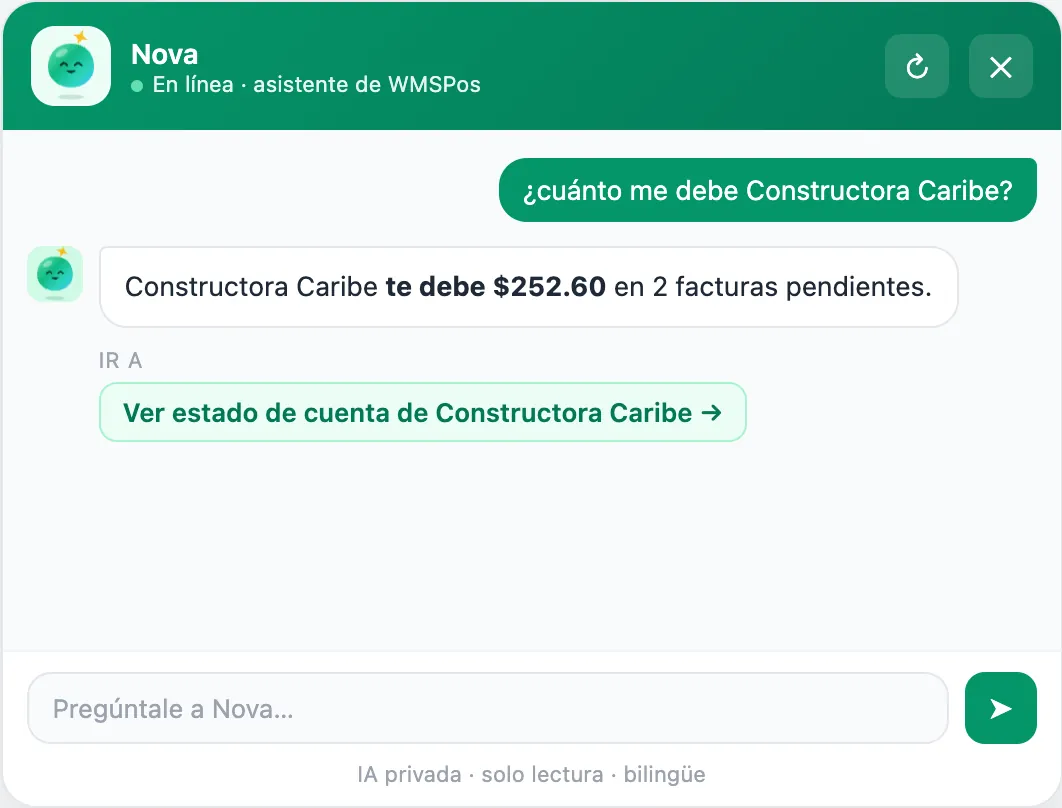
Nova: ask your business.
An AI assistant that answers in Spanish or English about your sales, customers and accounts, with read-only access.
We're getting it ready. It isn't available yet.
What people ask before deciding.
If your question isn't here, write to us.
Does it really keep selling without internet?
Yes, and here's how. With a branch server, the whole store keeps working on the local network, tables and kitchen included. Without one, each desktop register keeps billing with its saved catalog and uploads sales when the connection returns; tables, kitchen and other shared operations wait. The web POS does need internet.
What happens if the branch server goes down?
That branch's registers wait for it to come back and resume as soon as it responds. They don't switch to the cloud on their own, on purpose: that way there are no duplicate sales or repeated invoice numbers.
Do I need a branch server?
We recommend one if you have several registers in the same store, or a restaurant with tables and a kitchen. With one or two registers, the desktop POS is usually enough. We'll tell you what fits during the demo.
How much does it cost?
We prepare a custom quote based on the plan (Basic, Pro or Enterprise), your registers, your branches and the hardware you need. There's no fixed public price because every business starts differently.
What computers do I need?
The desktop POS and the branch server run on Windows 10 or 11. The back office runs in the browser, on a computer or a phone.
Can I bring my data from RMS or Excel?
Yes. From Microsoft Dynamics RMS we move products, customers with their balances, suppliers, stock, prices and sales history, after a dry run that doesn't touch your system. From Excel or CSV we import products, customers and purchase orders.
Does it handle sales tax and PAN/EBT correctly?
Yes. State and municipal sales tax (IVU) are calculated separately on every sale. With PAN/EBT, the sale can be split with card and cash, and only the part paid with EBT is tax-exempt.
Does it take ATH?
Yes, as a payment type: the cashier records it with its reference number, just like cash, card or check, and it can be part of a split payment.
Who supports me?
Our team, in Spanish or English: we help you get started and we're there afterward. There's also a support center at wmspos.com/soporte.
Want to see it with products like yours?
We'll give you a 30 to 45 minute live demo, in Spanish or English, no strings attached.